
Prop up your phone. It counts every rep.
Apex One turns your phone camera into a rep counter and voice coach. No wearables, no tapping, no losing count halfway through a set.
Runs in your browser on iPhone and Android. Nothing to download.
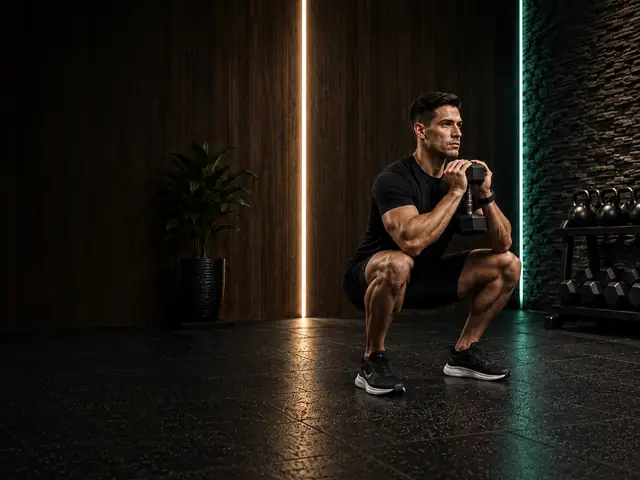
10 exercises, counted automatically
Squat
Side view. Turn sideways. Keep one hip, knee and ankle in view.
Bicep curl
Front or side. Keep one shoulder, elbow and wrist in view.
Push-up
Side view, phone low. Phone at floor level, side-on. Shoulders to feet in view.
Lunge
Side view. Both legs and feet in view through the lunge.
Deadlift
Side view. Shoulders, hips and knees in view.
Bent-over row
Side view. Shoulder, elbow, wrist and hip in view.
Overhead press
Face the camera. Step back so your hands stay in view overhead.
Sit-up
Side view, floor level. Phone beside you at floor level. Shoulder, hip and knee in view.
Jumping jack
Face the camera. Whole body in view, hands overhead included.
Knee lifts
Side view. Hips and knees in view. Counts steps, not distance.
How it works
- 1Pick an exerciseEach one comes with a camera guide showing exactly which joints need to be in view.
- 2Prop your phone upAgainst a bottle, a shelf or the floor. Apex One checks it can see you before the set starts.
- 3Train. It counts out loud.Full-range reps are counted and spoken as you go, with short cues if your range or setup slips.
- 4See your progressSets, reps and personal bests are saved to your account with streaks and a two-week chart.
Why a camera beats tapping
Only real reps count
Half reps don't register, so your numbers mean something and your progress is honest.
Eyes off the screen
The count and coaching cues are spoken, with captions, so you can focus on the set.
Private by design
Pose detection runs on your device. We store counts, not footage.
Progress that sticks
Personal bests, streaks and history, backed up to your account.
Questions
How does a camera rep counter work?
Apex One tracks the joints that matter for each exercise (for a curl: shoulder, elbow and wrist) with on-device pose detection, and counts a rep only when you move through the full range and come back. It then says the count out loud so you never need to look at the screen.
Which exercises does it count?
Squat, Bicep curl, Push-up, Lunge, Deadlift, Bent-over row, Overhead press, Sit-up, Jumping jack, Knee lifts. Each exercise has its own camera setup guide, for example side-on for squats and push-ups.
Do I need a smartwatch or sensors?
No. You only need your phone (or a laptop) camera. Prop it up where it can see the joints for that exercise and press start.
Is my video uploaded?
No. Motion tracking runs on your device and training video never leaves your phone. Apex One saves counts, not footage. The only exception is a ranked Bicep Curl Challenge set, which you choose to record for verification.
Do I need to download an app?
No. Apex One runs in your phone's web browser at apexfitness.io on iPhone and Android, so there's nothing to install.
How accurate is camera rep counting?
Accuracy depends mostly on setup: keep the tracked joints in view, use decent light and stand where the guide shows. Apex One tells you when it loses sight of you and only counts reps it fully tracked, so a missed rep is far more likely than a fake one.